Volusion template design for stores that stay or move
Volusion template design gives your store a custom look on Volusion V1, whether it runs a classic theme or Site Designer. If Volusion no longer fits, we move it to Shopify or BigCommerce and redirect every old address. You get a fixed quote first.
Why it matters
What Volusion template design covers today
Volusion still sells and supports its store software in 2026. Its current platform is called V1, and a V1 store gets its look in one of two ways: a classic theme, built from a template file and a stylesheet that you edit in Design > File Editor, or Site Designer, a newer block editor that runs on Volusion’s Element technology. Stores on VOLT, the platform Volusion once sold as Volusion 2, have to be rebuilt on V1, according to Volusion’s own help center.
A Volusion store design project decides how your home page, category pages and product pages look and work, then builds that into whichever editor your store uses. On a classic theme we design the layouts and write the template and CSS files. On Site Designer we choose and style a theme, and make the banners and graphics for its blocks. Either way, your products, customers and orders stay where they are, because a Volusion theme only changes the storefront.
Some stores are better off leaving. If the sales cap on your plan, the apps you can’t get, or a forced rebuild from VOLT has you looking at other platforms, we move the store to Shopify or BigCommerce and map every old Volusion address to its new page with a 301 redirect, then design its new theme. Frannie Kline founded OC Designs Online in 2005, and our family-owned team in New Jersey has designed online stores in-house ever since, on Volusion, Shopify and BigCommerce among others. BigCommerce lists us in its Partner Directory as an agency partner.
Tell us about your storeWhat you get
Custom Volusion template
Home, category and product layouts designed for your brand and written into Volusion’s template and CSS files.
Site Designer setup
For stores on Site Designer, a theme picked and styled to your brand, with graphics made to fit its blocks.
Logo, banners and graphics
Header, sliders, category images and trust badges drawn by our own designers, sized for phones and desktops.
Phone-ready layouts
Old fixed-width Volusion themes rebuilt as layouts that fit any screen, tested on phones before launch.
Fixes to your current template
Broken layouts, old scripts and leftover code from past developers cleaned up in File Editor.
Moves to Shopify or BigCommerce
Products, customers and orders moved, and a new theme designed for the platform you choose.
Every old address redirected
Volusion’s product and category addresses mapped one by one to their new pages, so links and rankings follow you.
Support after launch
The same team answers the phone Monday to Friday, 9 to 5 ET, for questions and changes.
Your options
Refresh your Volusion theme, redesign it, or move
A Volusion store owner has three realistic choices. Each one changes how much work is involved, and where the store lives afterward (as of October 2026).
| Refresh the current theme | New custom Volusion design | Move to Shopify or BigCommerce | |
|---|---|---|---|
| What changes | Colors, fonts, banners and small layout fixes on the theme you have | New home, category and product layouts built for your catalog | A new store on a new platform, with a new theme |
| Where it’s built | Your current theme files, or your Site Designer theme | A classic V1 theme, or Site Designer | Shopify or BigCommerce’s own theme systems |
| Products, customers and orders | Stay in Volusion | Stay in Volusion | Exported from Volusion and imported into the new platform |
| Web addresses | Unchanged | Unchanged | Every old address needs a 301 redirect |
| Customer passwords | Unchanged | Unchanged | Customers usually reset them |
| Best for | A store that sells well and only looks dated | A store that plans to stay on Volusion for years | A store that has outgrown Volusion, or is on VOLT and faces a rebuild anyway |
Source: Volusion Help: themes · Volusion Help: VOLT to V1 · Volusion Help: upgrading to Site Designer
Recent work
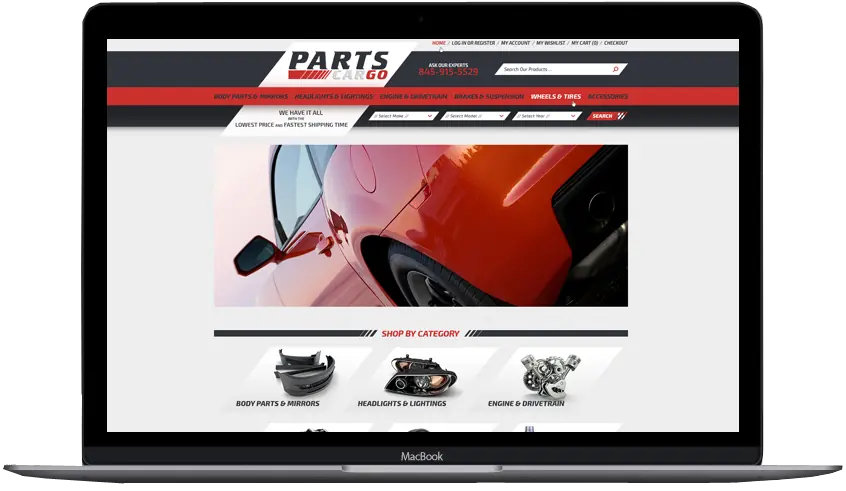
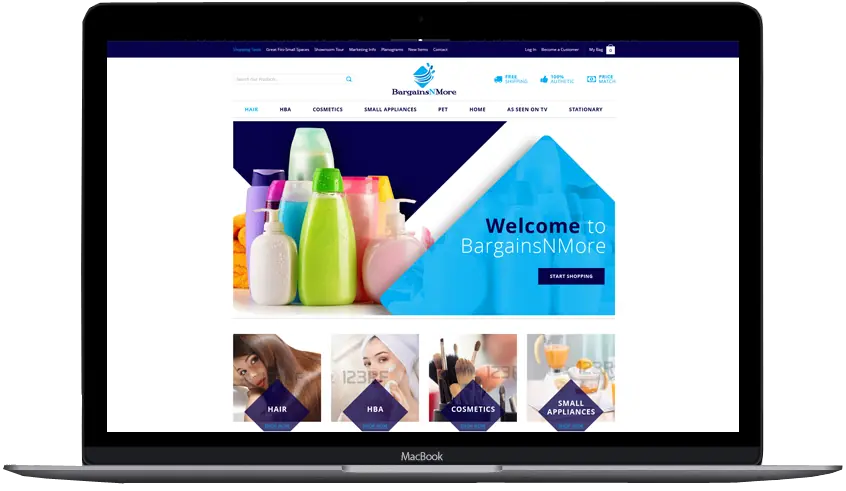
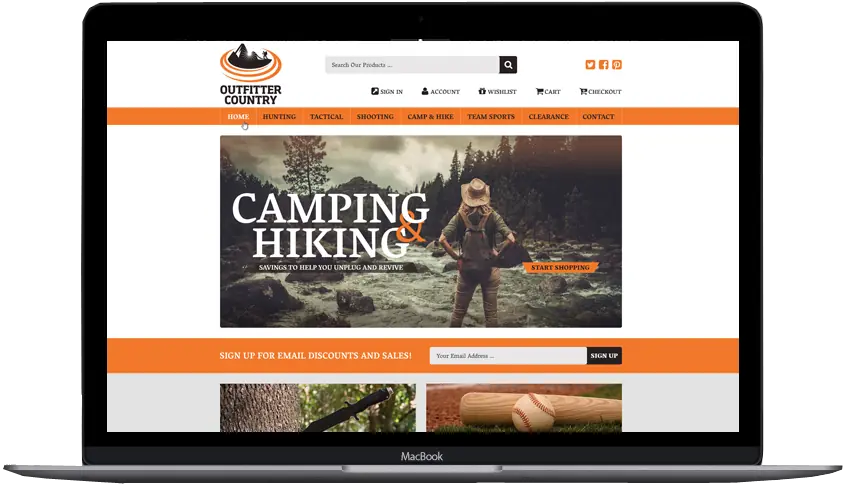
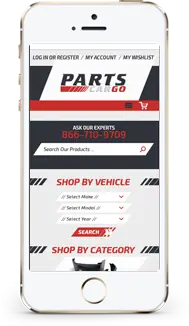
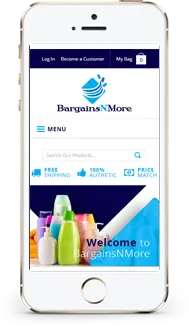
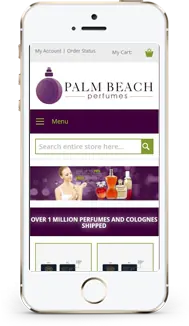
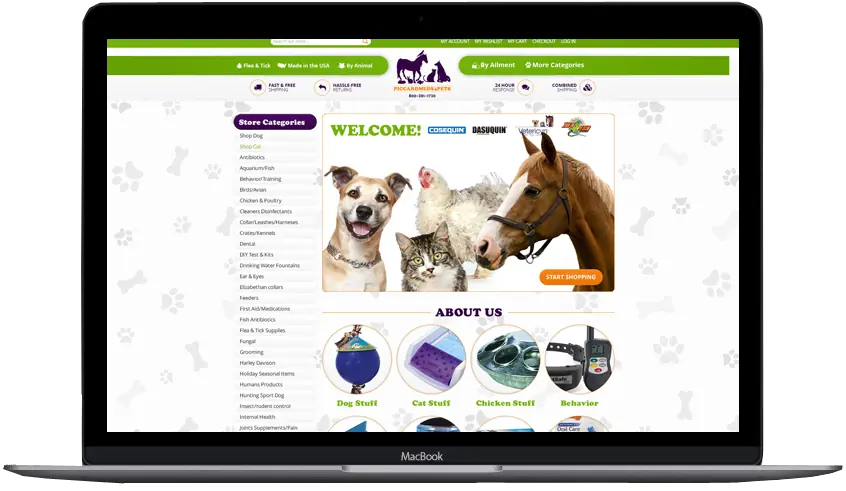
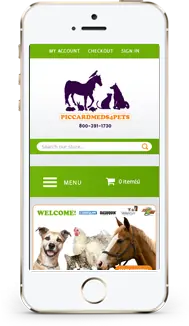
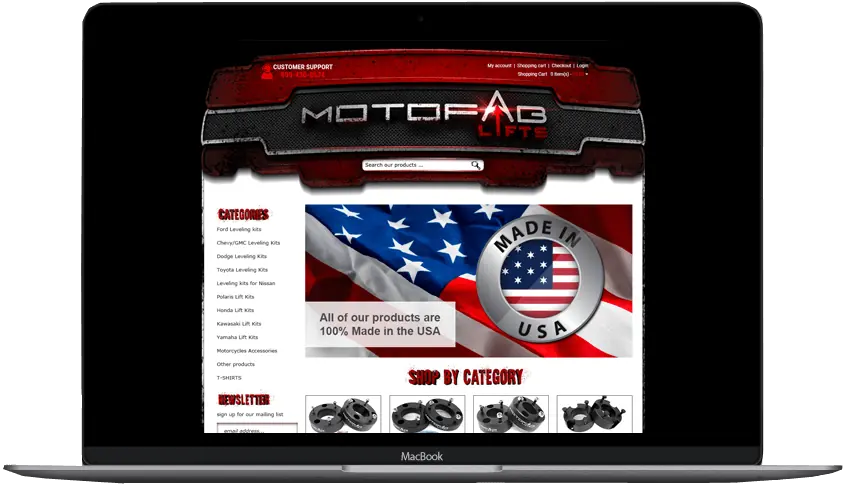
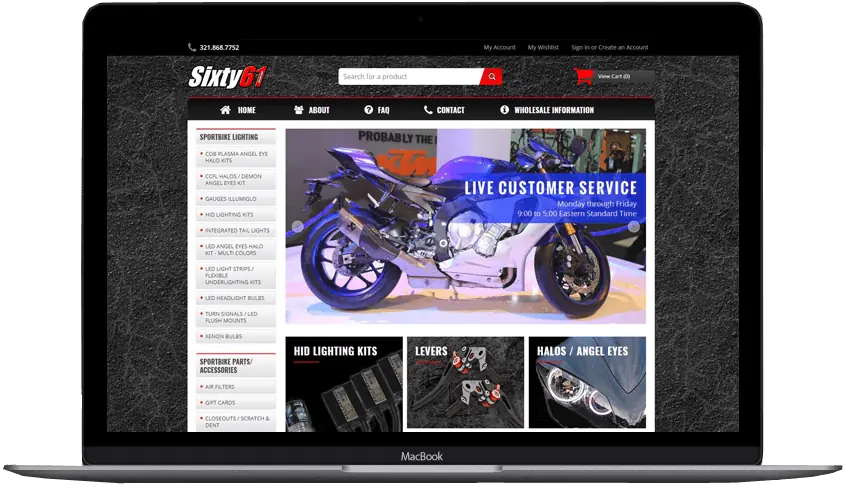
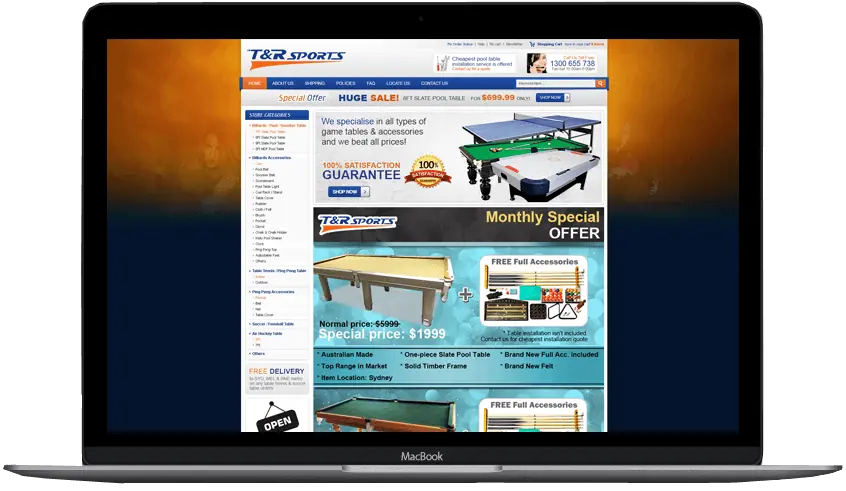
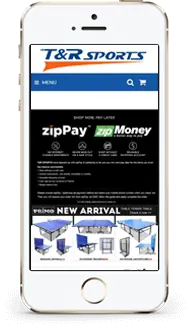
Volusion stores and more we designed



Stay or move
Signs your Volusion website design needs a refresh, or a new platform
Many Volusion stores still sell well, and a redesign usually costs less than a move. We ask about these signs in every consultation, and here is what each choice can do about them.
| What you notice | Staying on Volusion | Moving to Shopify or BigCommerce |
|---|---|---|
| The store looks dated, or squeezes onto phones | A new responsive design on your V1 store | A new theme on the new platform |
| Your store is on VOLT (Volusion 2) | Volusion asks VOLT stores to be recreated on V1 | A rebuild takes about the same effort as a move, so price both |
| Nobody on your team can edit the template files | We take over the theme and document what we change | Shopify and BigCommerce themes come with visual editors |
| Yearly sales are nearing your plan’s cap | A higher Volusion plan (see the plan table below) | Compare what the same sales cost on each platform first |
| You need an app or integration Volusion doesn’t offer | Custom code in the theme, where Volusion allows it | Both have large app stores |
| The store sells well and your team knows the admin | Stay, and spend on design and photos | Usually not worth the cost of a move yet |
Case study
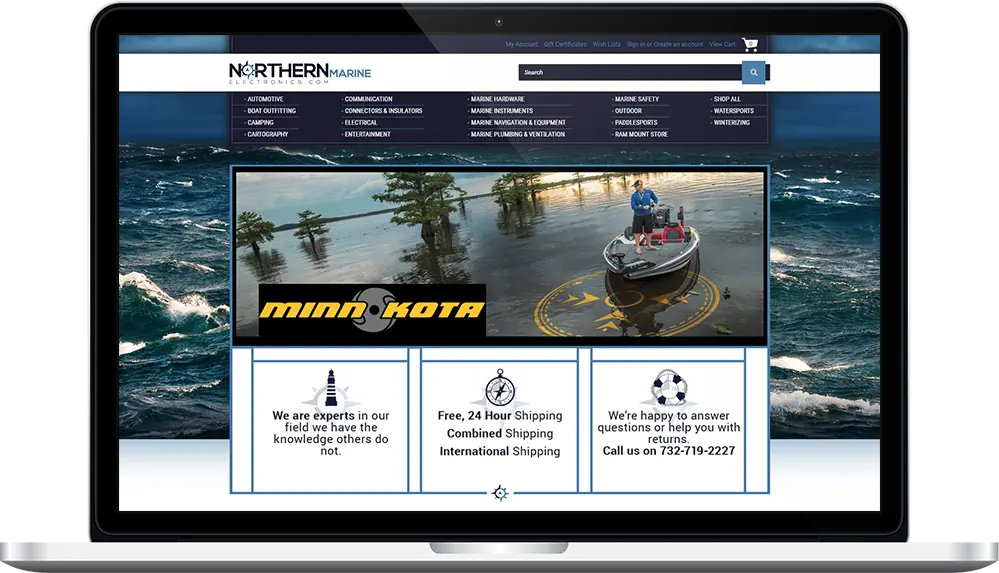
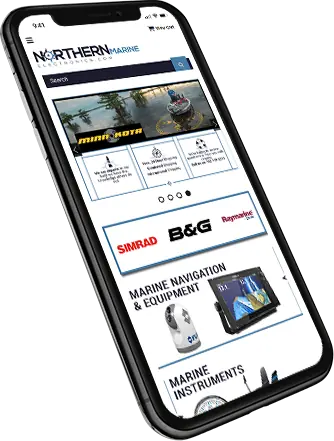
Northern Marine Electronics: eBay + BigCommerce in ten days
A redesigned eBay template and a custom BigCommerce theme, researched, drafted, tested and live four days before deadline.
- Working together
- 6+ years
- Delivered
- 10 days
- Platforms
- 2
Free consultation
Book a free consultation for your Volusion store
Tell us what your store sells and what bothers you about it today. We reply within one business day, and after we talk you get a fixed quote and our view on staying or moving.
- Fixed price before any work starts
- Most custom stores launch in about six weeks
- Design previews you approve before we build
- You own the finished design and its code
Prefer to talk? (609) 675-0912, Monday to Friday, 9 to 5 ET.
Cost
What decides the cost of Volusion design services
A color refresh and a full move to another platform are very different jobs, so every Volusion store gets its own fixed quote after a free consultation.
| What we look at | Why it changes the work |
|---|---|
| Classic theme or Site Designer | A classic V1 theme is designed and coded in the template and CSS files. Site Designer work is mostly theme setup, styling and graphics. |
| Number of page designs | Home, category and product pages are the core. Landing pages, brand pages and custom content pages add design time. |
| State of the current template | Years of edits by different developers can leave broken markup and old scripts that have to be cleaned up first. |
| Graphics | A new logo, banner sets and category images are designed from scratch, while tidying your current artwork takes less time. |
| Catalog size and options | Thousands of products with many options take longer to check on every template, and much longer to move. |
| Apps and integrations | Reviews, shipping and accounting apps have to be styled and checked inside the new design, and some need replacing after a move. |
| Moving platforms | A move adds the data export and import, a new theme on the new platform, and a redirect for every old address. |
Classic or Site Designer
Classic Volusion templates or Site Designer?
A V1 store can use either editor, and the choice decides how a redesign is built and who can change it later. This is how the two compare, from Volusion’s help center in October 2026.
| Classic V1 theme | Site Designer | |
|---|---|---|
| How it’s built | A template file and a matching CSS file, edited in Design > File Editor | Blocks you add and arrange in a visual editor, on Volusion’s Element technology |
| Ready-made themes | Free and premium themes in Volusion’s theme gallery | A gallery of Site Designer themes at no extra cost |
| Changes you make yourself | Colors and fonts in the Style Editor, text and HTML in the Easy Editor | Blocks, banners and page sections, without code |
| How unique it can look | Any layout we can code into the template | Shaped by the theme and the blocks it offers |
| Switching | Where every V1 store starts | Turned on in Settings > Upgrades once Premium Checkout is on; Volusion lets you roll back to the old storefront |
| Best for | Stores that want a layout nobody else has | Stores that want to update pages themselves |
Source: Volusion Help: themes · Volusion Help: File Editor · Volusion Help: upgrading to Site Designer · Volusion themes
Volusion plans
Volusion plans and limits as of October 2026
Your Volusion plan sets how much you can sell, how many products you can list, and whether a developer can use the API. We check yours before we plan a design or a move.
| Personal | Professional | Business | Prime | |
|---|---|---|---|---|
| Yearly sales cap (last 12 months) | $50K | $100K | $400K | No cap |
| Products | 100 | 5,000 | Unlimited | Unlimited |
| Staff accounts | 1 | 5 | 15 | Unlimited |
| Extra fee per sale without Volusion Payments | 1.25% | 0.65% | 0.35% | Custom |
| API access (for data moves and integrations) | No | No | Yes | Yes |
Source: Volusion pricing · Volusion Help: payment gateways · Volusion Help: the Volusion API
Moving off Volusion
How we move a Volusion store without losing rankings
A move changes the platform under your store. Your products, page titles and the pages Google already ranks either keep their place or get a 301 redirect to their new address.
Record what ranks today
We crawl the store and list every product, category and content page with its address, title and description, including old ProductDetails.asp addresses that Google may still have indexed.
Export your Volusion data
Products, customers and orders come out of Inventory > Import/Export as CSV or XML, or move with a migration app such as BigCommerce’s free Data Migration app.
Build the new store next to the old one
We design and build the new theme on Shopify or BigCommerce while your Volusion store keeps taking orders.
Map every old address
Volusion product addresses end in -p/ and a product code with .htm, and category addresses end in -s/ and a number. We match each one to its new page and load the 301 redirects into the new platform.
Launch, invite and watch
We point your domain at the new store, send customers a password reset invitation, submit the new sitemap, and check Google Search Console for errors in the weeks after launch.
Close Volusion last
Once your order history is saved and every redirect works, you cancel the Volusion plan.
Source: Volusion Help: how to customize your URLs · Volusion Help: Import/Export
Redesign or move
Send us your Volusion store address
We look at your store before we talk, check which platform and theme it runs on, and start the consultation with what we found.
- Old Volusion addresses mapped to new pages with 301 redirects
Prefer to talk? (609) 675-0912, Monday to Friday, 9 to 5 ET.
Migration
Volusion to Shopify or BigCommerce: what moves and what doesn’t
Migration tools move most of your data, and a few parts always need people. This is how each part of a Volusion store moves to each platform (October 2026).
| Part of the store | To BigCommerce | To Shopify | What we do |
|---|---|---|---|
| Products, customers and orders | BigCommerce’s free Data Migration app lists Volusion as a source and moves up to 500,000 records | Shopify’s migration help has no Volusion guide, so moves use a third-party app such as LitExtension or Cart2Cart, or CSV files | Choose the tool, test a sample, and check the results |
| Order history | Moved by the Data Migration app with your customers | Moved by the migration app you choose, where it supports orders | Check order numbers, dates and totals on a sample before launch |
| Customer passwords | Customers usually set a new password | LitExtension says passwords can’t be moved directly | Send a reset invitation in your brand |
| Store design | Volusion themes don’t transfer | Volusion themes don’t transfer | Design and build the new theme |
| Content pages and blog posts | LitExtension lists CMS page addresses and blog content among the items it doesn’t move | Usually rebuilt by hand | Rebuild them in the new design |
| Old Volusion addresses | BigCommerce’s 301 redirect manager | Shopify’s URL redirects | Map every -p/ and -s/ address to its new page |
Source: BigCommerce Data Migration app · Shopify Help: store migration app · LitExtension: Volusion to Shopify · LitExtension: Volusion to BigCommerce · Shopify Help: URL redirects · BigCommerce Help: 301 redirects
Choosing a designer
How to choose a Volusion designer
Volusion doesn’t keep a directory of independent designers. Its own design work goes through its marketing partner, Marketing 360. Whoever you talk to, ask these questions before you sign.
| Question to ask | A good answer | Our answer |
|---|---|---|
| Can I see Volusion stores you designed? | Real stores, with names | Yes, in our portfolio |
| Will you tell me if moving makes more sense? | An honest view, even if it means a smaller job | Yes, in the free consultation |
| Who designs and codes the store? | A team you can name, not resold work | Our in-house team in New Jersey |
| Who owns the design after launch? | You do | You do, once the project is paid |
| Will I keep my web addresses and rankings? | A redirect plan before anything moves | Every changed address gets a 301 redirect |
| Is the price fixed? | A written quote before work starts | A fixed quote after a free consultation |
Source: Volusion services
How we work
How a Volusion design or migration project runs
One project manager from the first call to launch. Most custom stores take about six weeks.
Start with the questionnaire-
Consultation and quote
We look at your store, talk through your products and plans, and tell you whether we would redesign it or move it. Then you get a fixed quote, and we collect your answers and brand files in one detailed specification.
-
Design previews
You see your home, category and product pages as real designs and approve each one before we build.
-
Build and test
We build the theme on Volusion, or on the new platform next to your live store, and test it on phones, tablets and desktops with your checkout.
-
Launch and support
We publish the design, load the redirects if anything moved, show your team how to edit it, and stay on the phone Monday to Friday, 9 to 5 ET.
Client words
Sellers say it better than we can
-
OCD is great to work with and very responsive! More importantly they still support you long after the sale.
Jeff ArkelleBay design client
-
We started with an eBay store and eBay listing. This had my sales skyrocket in ways I would have never thought. Taking the same design scheme and moving it to a website makes branding everything tie together.
Modern PrepeBay store, listing template & website
-
Our customers and peers comment all the time about how professional our storefront appears and how clean and crisp our listings are. Most responsive company, delightful to work with. Highest recommendation.
ConnectiblesCustom eBay store
-
Frannie and OC Designs did an AMAZING job redesigning our Stun & Run Self Defense website. … We were not wrong.
Stun & Run Self DefenseBigCommerce store redesign
-
They were super friendly and open to feedback throughout the entire process. The in-depth questionnaires really helped us relay exactly what we wanted our new site to look like.
Kyrie VanOverWebsite makeover
-
They lived up to their reputation, their claims, their portfolio, their reviews, and genuinely went above and beyond in explaining and guiding us every step of the way. … You will have tremendous success with what is — we can assure you — marginal costs compared to other so-called professionals.
Sprinkler HutShopify & BigCommerce store
-
We have been working with the team at OCdesigns for the last six years. They are always fast to reply to our requests, and our project manager is always on top of everything to do with our job. Hire OCdesigns, you will not be sorry!
Northern Marine ElectronicseBay & BigCommerce redesign
-
They are real people in the USA that can be reached in a variety of ways. Yes, they have a phone number and answer their calls!
Modern PrepLong-time client
Good questions
Questions about Volusion template design
Something else on your mind? Call (609) 675-0912 and a real person answers.
How our projects workIs Volusion still in business?
Yes. Volusion was founded in 1999 and is based in Austin, Texas. It is a private company, Volusion, LLC. It filed for Chapter 11 in July 2020 to restructure its debt, came out of it in January 2021, and still sells store plans and support in 2026.
What is the difference between Volusion V1 and V2?
V1 is Volusion’s current platform. V2, sold as Volusion 2 and now called VOLT, is the older platform that Volusion calls legacy, and its help center asks VOLT stores to be recreated on V1. A V1 store can use a classic theme or Site Designer, Volusion’s block editor.
Do you sell ready-made Volusion templates?
No. We design custom Volusion templates for one store at a time. Ready-made themes come from Volusion’s own gallery, which has free and premium classic themes and Site Designer themes at no extra cost. We can also install and restyle one of those as a smaller job.
How much does a custom Volusion design cost?
It depends on whether your store uses a classic theme or Site Designer, how many page designs you need, the state of your current template, and whether you are moving platforms. After a free consultation we send a fixed quote that doesn’t change once work starts.
My store is on VOLT. What should I do?
Volusion’s help center asks VOLT stores to be recreated on V1, which means starting the storefront fresh. Because the storefront is rebuilt in both cases, it is a good moment to compare a new V1 design with a move to Shopify or BigCommerce. We price both in the same consultation.
Can you fix or update my existing Volusion template?
Yes. We work in Volusion’s File Editor on the template file and its stylesheet, so we can repair broken layouts, remove old scripts, update banners and make an old fixed-width theme fit phones.
Can I edit my Volusion store myself after the redesign?
Yes. Products, prices, categories and content pages stay in the Volusion admin as always. On Site Designer you also change blocks and banners yourself, and on a classic theme we show you which parts are safe to edit and make layout changes for you.
Should I redesign my Volusion store or move to another platform?
Redesign if the store sells well, your plan fits your sales, and your team knows the admin. Price a move if your store is on VOLT and must be rebuilt anyway, you are close to your plan’s sales cap, or you need apps Volusion doesn’t have. We give you our honest view in the consultation.
How do I migrate from Volusion to Shopify?
Export your products, customers and orders as CSV files, or move them with a third-party migration app, because Shopify has no built-in Volusion importer. Build and test the new Shopify theme, add a 301 redirect for every old Volusion address, then point your domain at Shopify and invite customers to reset their passwords.
Is Volusion free?
No. Volusion charges monthly plans that are set by how much the store sells each year; its pricing page has the current figures. Its Site Designer themes cost nothing extra.
Will I lose my Google rankings if I leave Volusion?
Not if every old address gets a 301 redirect to the matching new page, and page titles and descriptions move with your products. Volusion product and category addresses have fixed patterns, so we map them one by one before launch and check Search Console afterward.
Will my customers need new passwords after a migration?
Usually yes. Passwords can’t normally be copied from Volusion to another platform, so we send customers a branded email that invites them to set a new one.
How long does a Volusion redesign or migration take?
Most custom store designs take about six weeks from the consultation to launch. A move to another platform can take longer when the catalog is large or there are many addresses to redirect.
Do I own the design and code?
Yes. When the project is paid, the theme files and graphics are yours. You can keep them, back them up or hand them to another developer later.
Related services
- Shopify store designCustom Online Store 2.0 themes, custom sections and migrations, with a fixed quote. You own the theme.Learn more
- BigCommerce store designCustom Stencil themes, redesigns and moves to BigCommerce, built in-house with a fixed quote.Learn more
- Volusion portfolioVolusion and multi-platform store designs, plus migrations to modern platforms.Learn more
Start a project
Let’s make yours the store buyers remember.
- Fixed quote before any work starts
- In-house team in New Jersey, no outsourcing
- Support long after launch
Prefer to talk? (609) 675-0912 · frannie@ocdesignsonline.com