Magento website design, M2E Pro templates and migrations
Magento website design gives a Magento 2 or Adobe Commerce store a theme built around its catalog, and we design the eBay listing templates that M2E Pro sends to eBay. When Magento’s upkeep outgrows the store, we move it to Shopify or BigCommerce. You get a fixed quote first.


Why it matters
What Magento website design covers in 2026
Magento comes in two editions: Magento Open Source, which is free and runs on hosting you arrange, and Adobe Commerce, Adobe’s licensed version for your servers or Adobe’s cloud. Magento 1 lost Adobe’s support on June 30, 2020. Magento 2 is still patched, and every 2.4 release has its own support end date, so we check which one your store runs before we plan the design.
A Magento store gets its look from a theme. Most Magento 2 themes build on Luma or Blank, the two themes that ship with the platform, and a growing number use Hyvä, a lighter theme that became free and open source in November 2025. A design project decides how your home, category and product pages look and work, then builds that into a theme of your own, with Page Builder blocks where your team changes banners. If you sell on eBay through M2E Pro, we add a listing template in the same style, so every listing it sends to eBay matches your store.
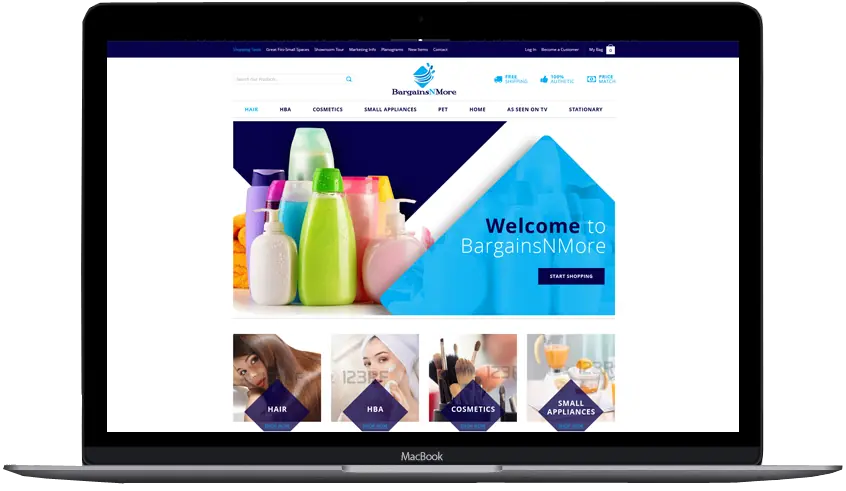
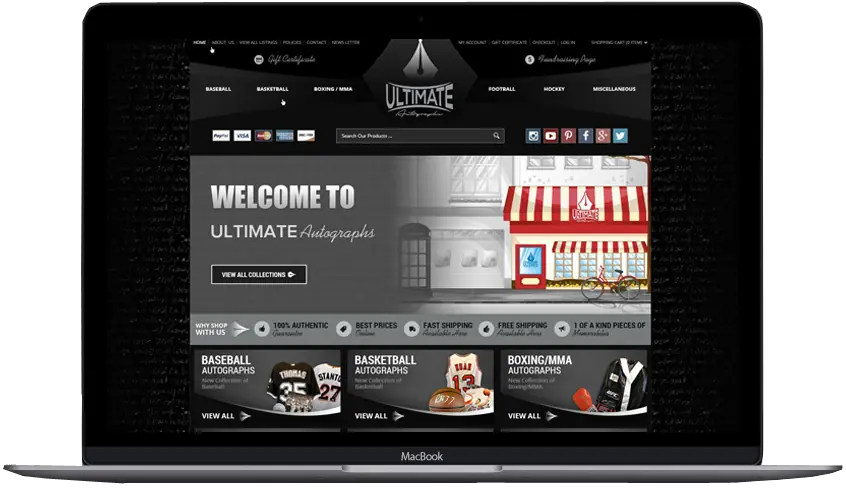
Frannie Kline founded OC Designs Online in 2005, and our family-owned team in New Jersey has designed Magento stores in-house since 2012, including an auto parts store with a make, model and year search and an autograph dealer whose half-built Magento site we took over from another developer. When the upkeep outgrows the store, we move the catalog to Shopify or BigCommerce, design the new theme and redirect every old address. BigCommerce lists us in its Partner Directory as an agency partner.
Tell us about your storeWhat you get
Custom Magento 2 theme
Designed for your brand and built as a child of Luma, Blank or Hyvä, on Magento Open Source or Adobe Commerce.
Home, category and product templates
Layouts for the pages that sell, with room for specs, options, size charts and the details buyers ask about.
Navigation that fits your catalog
Menus and layered navigation filters planned around how your buyers shop, and a make, model and year search for parts stores.
Page Builder content you edit
Banners, promotions and landing pages your team changes in Page Builder, without a developer.
eBay templates for M2E Pro
A listing template in your store’s style, installed in M2E Pro and tested on real listings before it goes live.
Moves to Shopify or BigCommerce
Your data moved with a migration app and checked by our team, and a new theme designed for the platform.
Every old address redirected
Magento’s product and category addresses, often ending in .html, mapped one by one to their new pages with 301 redirects.
Support after launch
The same team answers the phone Monday to Friday, 9 to 5 ET, for questions and changes.
Your options
Redesign on Magento, or move to Shopify or BigCommerce
Every Magento store we review ends up on one of three paths. Each one changes who hosts and patches the store, how your team edits it and how big the project is (as of October 2026).
| Redesign on Magento 2 | Move to Shopify | Move to BigCommerce | |
|---|---|---|---|
| What you get | A new theme on your current store, products and addresses unchanged | A new Shopify theme, your data moved and every old address redirected | A new Stencil theme, your data moved and every old address redirected |
| Hosting and security patches | You, your host or your developer install Adobe’s patches and upgrades | Included in your Shopify plan | Included in your BigCommerce plan |
| Editing without code | Page Builder for content blocks and pages | Theme editor with sections on every page | Page Builder in the regions the theme provides |
| Moving your data | Nothing to move | A third-party migration app or CSV files | BigCommerce’s free Data Migration app |
| How much work | Design and theme code only | Design, data move, redirects and new apps | Design, data move, redirects and new apps |
| Best for | Large or complex catalogs, B2B pricing and custom features that already work | Stores that want simple editing and the largest app store | Large catalogs with many options, and stores that sell to trade buyers |
Source: Adobe Commerce lifecycle policy · Shopify Store Migration app · BigCommerce Data Migration app
Recent work
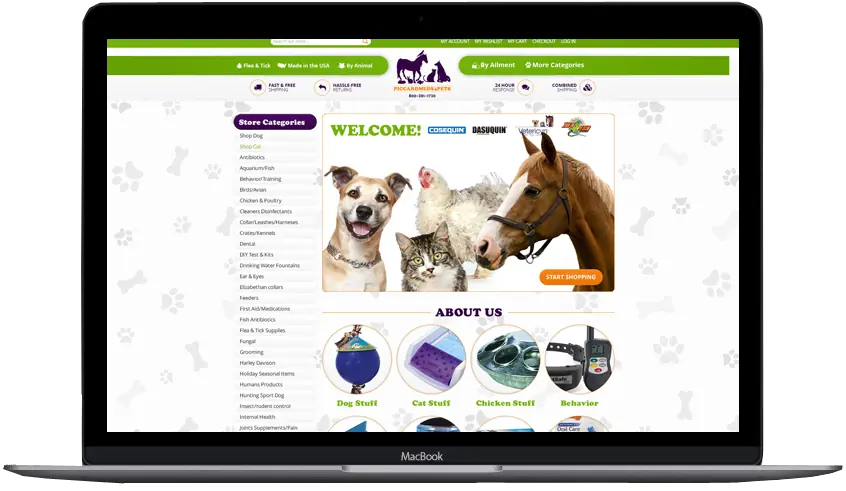
Magento stores we designed







Free consultation
Book a free consultation for your Magento store
Tell us whether you want to stay on Magento or move, or that you haven’t decided yet. We reply within one business day, and after we talk you get a fixed quote and our honest view.
- Fixed price before any work starts
- Most custom stores launch in about six weeks
- Design previews you approve before we build
- You own the finished design and its code
Prefer to talk? (609) 675-0912, Monday to Friday, 9 to 5 ET.
Cost
What decides the cost of a Magento redesign or migration
We don’t publish one price, because a new theme and a full move to another platform are different projects. You get a fixed quote after a free consultation, and these are the things that move it.
| What we look at | Why it changes the work |
|---|---|
| Staying or moving | A redesign on Magento is design and theme code. A move adds the data transfer, the redirect map, new apps and a second round of testing. |
| Your Magento version | A store on Magento 1 or an old 2.x release may need an upgrade, or a full rebuild, before any design work. |
| Number of page designs | Home, category and product layouts are the core. Landing pages, brand pages, a blog and account pages each add design and build time. |
| Catalog size and attributes | Configurable products, many attributes, several store views or fitment data take longer to design around and to move. |
| Extensions and custom code | Each extension has to be styled and tested in the new theme, or replaced by an app after a move. |
| eBay templates | An M2E Pro template is quoted as its own part, with testing on live listings. |
Platform facts
Magento versions and support dates as of October 2026
Adobe supports each Magento 2.4 release for a fixed period. The dates are from Adobe’s lifecycle policy for Adobe Commerce; Magento Open Source ships the same version numbers on the same day.
| Release or product | What Adobe publishes |
|---|---|
| Magento 1 | Support ended June 30, 2020, with no security patches since |
| 2.4.9 (May 12, 2026) and 2.4.8 (April 8, 2025) | Standard support until May 31, 2029 and May 31, 2028 |
| 2.4.7 (April 9, 2024) | Standard support until May 31, 2027, then extended support for Adobe Commerce until May 31, 2028 |
| 2.4.6 (March 14, 2023) | Standard support ended August 11, 2026; extended support for Adobe Commerce runs until August 31, 2027 |
| 2.4.5 and 2.4.4 | Standard and extended support have ended; Adobe Commerce gets security fixes only, until May 31, 2027 |
| Release schedule | One full patch release each May, and security patches at least once a year for every supported release |
| Adobe Commerce as a Cloud Service | A version Adobe hosts and updates for you; its storefront runs on Edge Delivery Services and doesn’t support Luma themes |
Source: Adobe: Magento 1 end of support · Adobe Commerce lifecycle policy · Adobe Commerce release schedule · Adobe Commerce as a Cloud Service overview
Magento and eBay
eBay listing templates for M2E Pro
M2E Pro is a Magento extension that lists your products on eBay and keeps stock and prices in step. Your eBay listings take their look from a description template inside it, and that is where our design goes.
| Part of the setup | How M2E Pro handles it | What we do |
|---|---|---|
| Channels | eBay, Amazon and Walmart; Other marketplaces use M2E’s other products | Match your eBay listings to your Magento store’s design |
| Where the template lives | The eBay Description policy, set to a custom value that accepts HTML | Write the template in clean HTML and CSS and add it to the policy |
| What fills it | Magento attributes inserted as tags, such as #name_of_attribute#, plus product images and a photo gallery | Place the title, description, specs and photos where eBay buyers look for them |
| eBay’s rules | eBay blocks JavaScript and some HTML in descriptions, so the photo gallery runs on CSS | Build without active content and test the template on phones |
| Which listings use it | Every listing that uses that Description policy | Try it on a few live listings first, then roll it out |
| Cost of M2E Pro | A monthly subscription set by your marketplace sales, with a 30-day free trial | You subscribe with M2E directly; our design is a one-time project |
Source: M2E Pro FAQ · M2E Pro pricing · M2E Pro docs: eBay description policy · M2E blog: compatibility with Magento 2.4.9 · eBay active content policy
Moving off Magento
How we migrate from Magento without losing rankings
Google ranks your pages by their addresses and their content. A careful Magento migration keeps both, and every address that has to change gets a 301 redirect to its new page.
Save and record everything first
We export your products, customers, orders and extension list, plus the URL rewrites from Marketing, SEO & Search, URL Rewrites, and note which pages get visits from Google.
Build the new store next to the old one
Your Shopify or BigCommerce theme is designed and built on a store that isn’t live yet, so Magento keeps taking orders.
Move the data with a test run first
We move a sample of products, customers and orders first, and check options, images and order totals before the full run.
Map every old address
Magento product and category addresses, often ending in .html, each get a 301 redirect to their new page, imported as a CSV into Shopify’s URL redirects or BigCommerce’s 301 redirect manager.
Rebuild pages and invite customers
Content pages and blog posts are rebuilt in the new design, and customers get an email inviting them to set a new password, because passwords can’t be moved.
Switch the domain, then watch
We point your domain at the new store, submit the new sitemap and check Google Search Console in the weeks after launch. Keep Magento until the new store has taken real orders.
Source: Adobe Commerce: URL rewrites · Shopify Help: migrating to Shopify · Shopify Help: URL redirects · BigCommerce Help: 301 redirects
Redesign or move
Send us your Magento store address
We look at your store before we talk, check its Magento version, theme and extensions, and start the consultation with what we found.
- Old Magento addresses mapped to new pages with 301 redirects
Prefer to talk? (609) 675-0912, Monday to Friday, 9 to 5 ET.
What moves
Magento to Shopify or BigCommerce: what moves and what doesn’t
Migration tools move most of your data, and a few parts always need people. This is how each part of a Magento store moves (October 2026).
| Part of the store | To BigCommerce | To Shopify | What we do |
|---|---|---|---|
| Products, customers and orders | BigCommerce’s free Data Migration app lists Magento and moves up to 500,000 records; BigCommerce says it works with Adobe Commerce 2.4.5 and newer | Shopify’s own app doesn’t list Magento, so the move uses a third-party app such as Cart2Cart, LitExtension or Matrixify, or CSV files | Choose the tool, test a sample and check the results |
| Customer passwords | Can’t be moved; customers set new ones | Can’t be moved; customers set new ones | Send a password reset invitation in your brand |
| Content pages and blog posts | Not moved by the app or by CSV import | Usually rebuilt by hand | Rebuild them in the new design |
| Theme and design | Magento themes don’t transfer | Magento themes don’t transfer | Design and build the new theme |
| Extensions | Replaced by BigCommerce apps or theme code | Replaced by Shopify apps | List each one and choose its replacement |
| Old web addresses | The 301 redirect manager, with CSV import | URL redirects, with CSV import | Map every old address to its new page |
Source: BigCommerce Data Migration app · BigCommerce Help: Magento data migration options · BigCommerce Help: transferring your catalog · Shopify Store Migration app · Shopify: Magento to Shopify migration · Shopify Help: URL redirects
Choosing an agency
How to choose a Magento design agency
Ask any agency these questions before you sign. Here is what a good answer looks like, and ours.
| Question to ask | A good answer | Our answer |
|---|---|---|
| Do you work on Magento and on the platform I might move to? | Yes to both, so the advice isn’t tied to one platform | Yes: Magento, Shopify and BigCommerce |
| Who designs and codes the store? | A team you can name, not resold work | Our in-house team in New Jersey |
| Who owns the theme code after launch? | You do | You do, once the project is paid |
| Who builds the redirect map? | The agency, before launch, from your full list of old addresses | We do, from your Magento URL rewrites and Search Console data |
| Are you in BigCommerce’s Partner Directory? | A listing you can check yourself | Yes, listed as an agency partner (link below) |
| Is the price fixed? | A written quote before work starts | A fixed quote after a free consultation |
Source: OC Designs Online in the BigCommerce Partner Directory
How we work
How a Magento design or migration project runs
One project manager from the first call to launch. Most custom stores take about six weeks.
Start with the questionnaire-
Consultation and quote
We look at your store, its Magento version and extensions, talk through your products and plans, and tell you whether we would redesign it or move it. Then you get a fixed quote.
-
Design previews
You see your home, category and product pages as real designs and approve each one before we build.
-
Build and test
We build the theme on a copy of your Magento store, or the new store next to your live one, and test it on phones, tablets and desktops with your checkout.
-
Launch and support
We publish the theme or switch the domain, load the redirects if anything moved, check Search Console after launch, and stay on the phone Monday to Friday, 9 to 5 ET.
Client words
Sellers say it better than we can
-
OCD is great to work with and very responsive! More importantly they still support you long after the sale.
Jeff ArkelleBay design client
-
We started with an eBay store and eBay listing. This had my sales skyrocket in ways I would have never thought. Taking the same design scheme and moving it to a website makes branding everything tie together.
Modern PrepeBay store, listing template & website
-
Our customers and peers comment all the time about how professional our storefront appears and how clean and crisp our listings are. Most responsive company, delightful to work with. Highest recommendation.
ConnectiblesCustom eBay store
-
Frannie and OC Designs did an AMAZING job redesigning our Stun & Run Self Defense website. … We were not wrong.
Stun & Run Self DefenseBigCommerce store redesign
-
They were super friendly and open to feedback throughout the entire process. The in-depth questionnaires really helped us relay exactly what we wanted our new site to look like.
Kyrie VanOverWebsite makeover
-
They lived up to their reputation, their claims, their portfolio, their reviews, and genuinely went above and beyond in explaining and guiding us every step of the way. … You will have tremendous success with what is — we can assure you — marginal costs compared to other so-called professionals.
Sprinkler HutShopify & BigCommerce store
-
We have been working with the team at OCdesigns for the last six years. They are always fast to reply to our requests, and our project manager is always on top of everything to do with our job. Hire OCdesigns, you will not be sorry!
Northern Marine ElectronicseBay & BigCommerce redesign
-
They are real people in the USA that can be reached in a variety of ways. Yes, they have a phone number and answer their calls!
Modern PrepLong-time client
Good questions
Questions about Magento website design
Something else on your mind? Call (609) 675-0912 and a real person answers.
How our projects workIs Magento still supported?
Magento 2 is. Adobe still releases and patches Magento 2.4, and it publishes a support end date for every 2.4 release. Magento 1 is not. Adobe ended its support on June 30, 2020, and it has had no security patches since.
What is the difference between Magento and Adobe Commerce?
Adobe bought Magento in 2018. Magento Open Source is the free edition that you host yourself, and Adobe Commerce is the licensed edition with extra features such as B2B tools, which runs on your servers, on Adobe’s cloud infrastructure, or as a cloud service Adobe hosts for you. Both use the same theme system, apart from that hosted cloud service, whose storefront is built a different way.
Can you design a custom Magento 2 theme?
Yes. We design your home, category and product pages, then build them as a child theme of Luma, Blank or Hyvä, so the design stays separate from the platform’s own files. Your team edits banners and content blocks in Page Builder.
Do you sell ready-made Magento templates?
No. We design custom Magento themes for one store at a time. Ready-made themes are sold on the Adobe Commerce Marketplace and by theme shops, and we can install and restyle one of those as a smaller job.
Should my Magento store use Hyvä?
Often, yes. Hyvä is a lighter theme that replaces most of Luma’s front-end code, and it became free and open source in November 2025. Some extensions need a Hyvä compatibility module, so we check yours before we recommend it.
Do you design eBay templates for M2E Pro?
Yes. We design an eBay listing template in your store’s style and add it to the description policy in M2E Pro, where your Magento attributes fill in the title, specs and photos. The template has no active content, and we test it on a few live listings before it goes on all of them.
How much does a Magento redesign cost?
It depends on your Magento version, how many page designs you need, your catalog, your extensions and whether you are moving platforms. After a free consultation we send a fixed quote that doesn’t change once work starts, and there are no monthly design fees.
Should I stay on Magento or move to Shopify or BigCommerce?
Stay if custom features, B2B pricing and integrations already work and your team can keep the store patched. Price a move if you are on Magento 1 or an old 2.4 release, if hosting and upkeep cost more each year, or if your catalog no longer needs Magento’s complexity. We give you our honest view in the consultation.
Will I lose my Google rankings if I leave Magento?
Not if every old address is redirected. We export your Magento URL rewrites, map each product, category and content address to its new page with a 301 redirect, keep titles and descriptions, and watch Google Search Console after launch.
How long does a Magento redesign or migration take?
Most custom store designs take about six weeks from the consultation to launch. A migration can take longer when the catalog is large, there are many extensions to replace or many old addresses to redirect.
Related services
- Magento portfolioStore designs we built on Magento, CS-Cart and other platforms, and how we help sellers move to Shopify or BigCommerce today.Learn more
- Shopify store designCustom Online Store 2.0 themes, custom sections and migrations, with a fixed quote. You own the theme.Learn more
- BigCommerce store designCustom Stencil themes, redesigns and moves to BigCommerce, built in-house with a fixed quote.Learn more
- Custom eBay listing templatesCustom, mobile-first templates in clean HTML and CSS, applied to your existing listings. Free preview.Learn more
Start a project
Let’s make yours the store buyers remember.
- Fixed quote before any work starts
- In-house team in New Jersey, no outsourcing
- Support long after launch
Prefer to talk? (609) 675-0912 · frannie@ocdesignsonline.com